
Flight Cue FAQ
Flight Cue is designed to reduce cockpit workload by continuously turning navigation, airport, runway, communication, weather and flight information into timely, easy-to-understand cues. Here are answers to the questions pilots are most likely to have.
Features marked with * require an internet connection for current/live data.
Getting Started
What is Flight Cue?
Flight Cue is a digital co-pilot designed to reduce workload before and during flight. It organizes airport, runway, navigation, communications, weather and aircraft information and presents useful cues at the point in the flight when they matter.
Is Flight Cue a replacement for ForeFlight or Garmin Pilot?
No. Flight Cue is designed to work alongside full electronic flight bags such as ForeFlight and Garmin Pilot. Its focus is different: continuously interpreting useful flight information and turning it into simple, timely cockpit cues.
Who is Flight Cue designed for?
Flight Cue can be especially useful to student and newer pilots, while also reducing workload for experienced pilots flying sophisticated or high-performance aircraft. It can complement advanced avionics or provide useful situational awareness in aircraft with traditional instrumentation.
What should I set up before my first flight?
Create or select your aircraft profile, verify the aircraft performance information, allow the required location permissions, and load your departure and destination. Flight Cue can then organize the flight around the route and aircraft you are actually flying.
Navigation & HSI
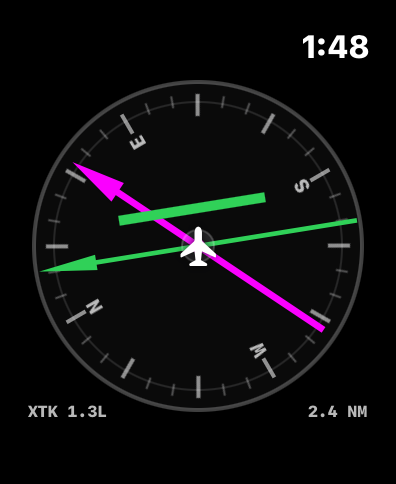
What does the Flight Cue HSI show?
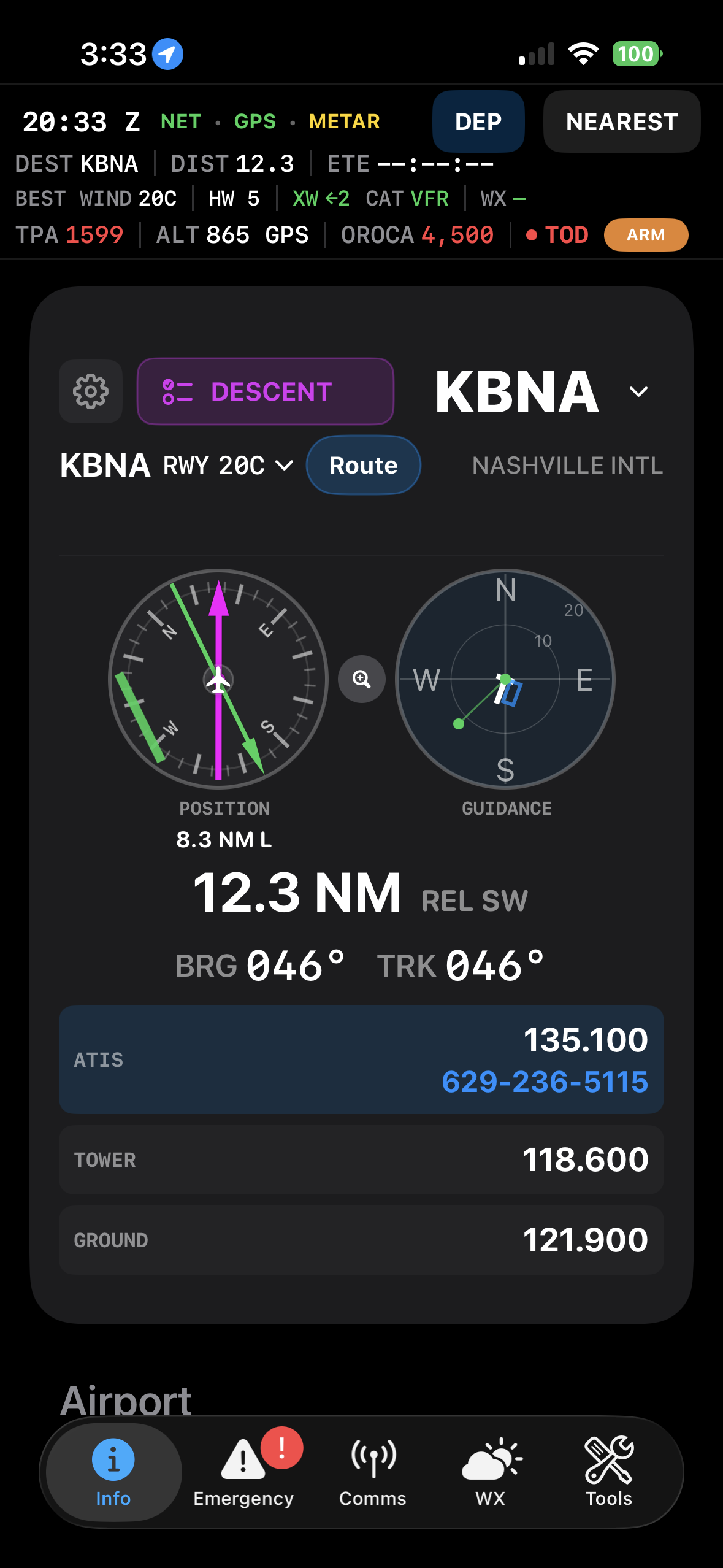
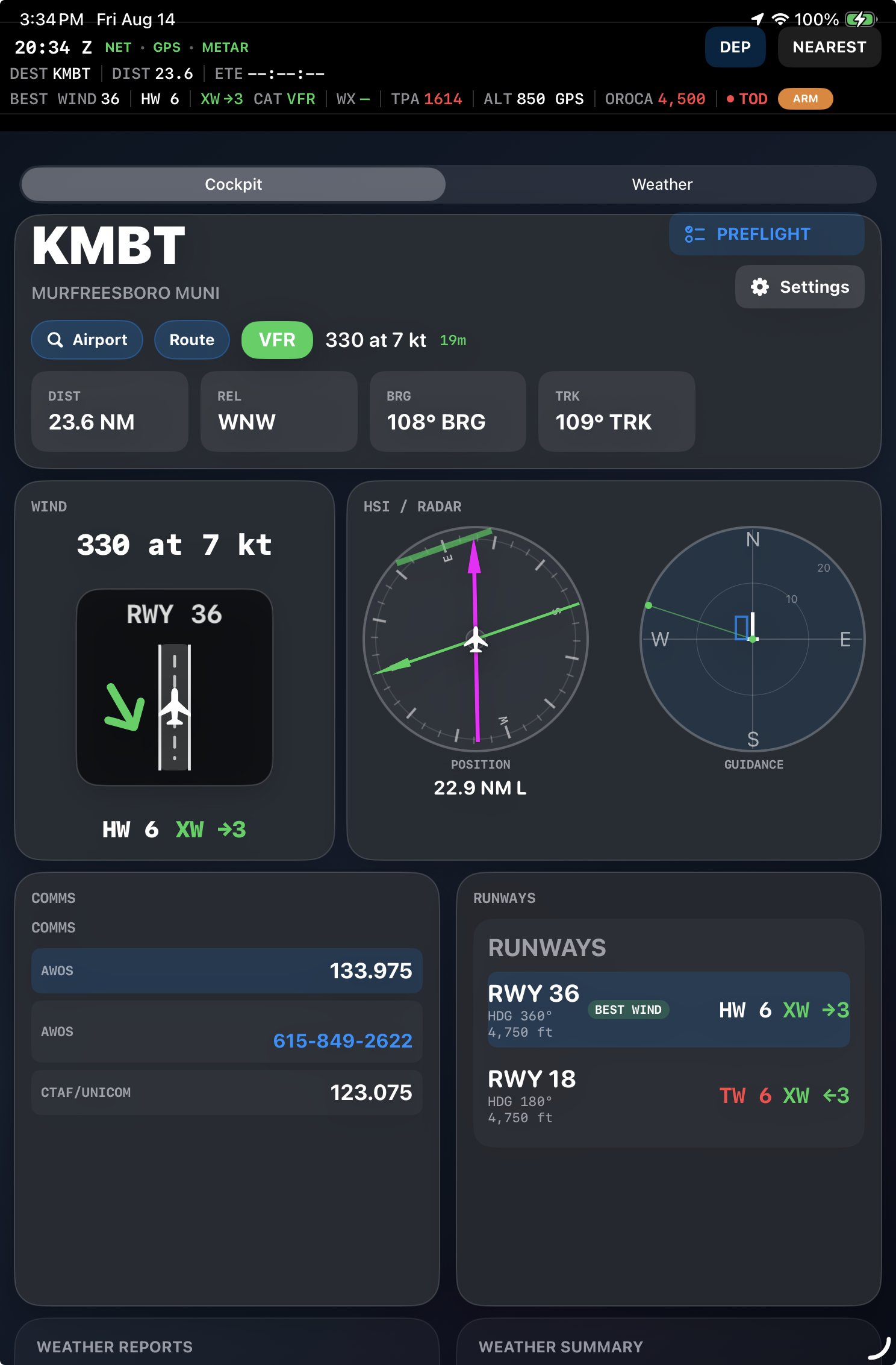
The HSI provides a compact visual picture of aircraft track, bearing to the selected airport or destination, relative position and cross-track relationship. It is designed to answer basic cockpit questions quickly: Where is the airport? Which way am I actually moving? Am I left or right of course? How does the runway relate to my position?
As the flight progresses, Flight Cue can also use runway and airport geometry to make arrival orientation easier to understand without requiring the pilot to mentally rotate a chart.
What is the Navigation Display?
The Navigation Display beside the HSI is one of Flight Cue's primary situational-awareness tools. It gives you an immediate visual picture of where the aircraft is relative to the destination airport and runway instead of requiring you to mentally translate bearings and runway numbers into a picture.
The display can be viewed Track Up or North Up. It shows your aircraft position, airport location, runway orientation and your relationship to the airport. As you approach, Flight Cue can also display the traffic-pattern box and arrival geometry, helping you immediately understand where the airport is, which way the runway runs, and how you are positioned for the pattern.
Why does Flight Cue use track while flying?
Once moving at flight speed, ground track describes the direction the aircraft is actually traveling across the ground and naturally incorporates the effect of wind. At low speed, heading can be more useful because GPS track becomes unreliable.
What is XTRK?
Cross-track distance shows how far the aircraft is displaced from the desired course or route centerline. Flight Cue uses this to make route position easier to understand at a glance.
What is relative position?
Relative position translates bearing geometry into a pilot-friendly indication of where the airport or selected point lies relative to the aircraft.
Does Flight Cue account for magnetic variation?
Flight Cue distinguishes between true geographic calculations and the magnetic values pilots normally use in the cockpit, converting where appropriate for the displayed information.
What is the runway HSI?
As you approach an airport, Flight Cue can present runway-oriented guidance that makes runway alignment and your position relative to the airport easier to visualize.
Does Flight Cue help with traffic-pattern orientation?
Yes. Flight Cue can help visualize runway orientation, traffic direction, pattern position and appropriate pattern-entry geometry. It is intended to reduce the mental workload of determining where the airport and runway are relative to the aircraft.
Communications
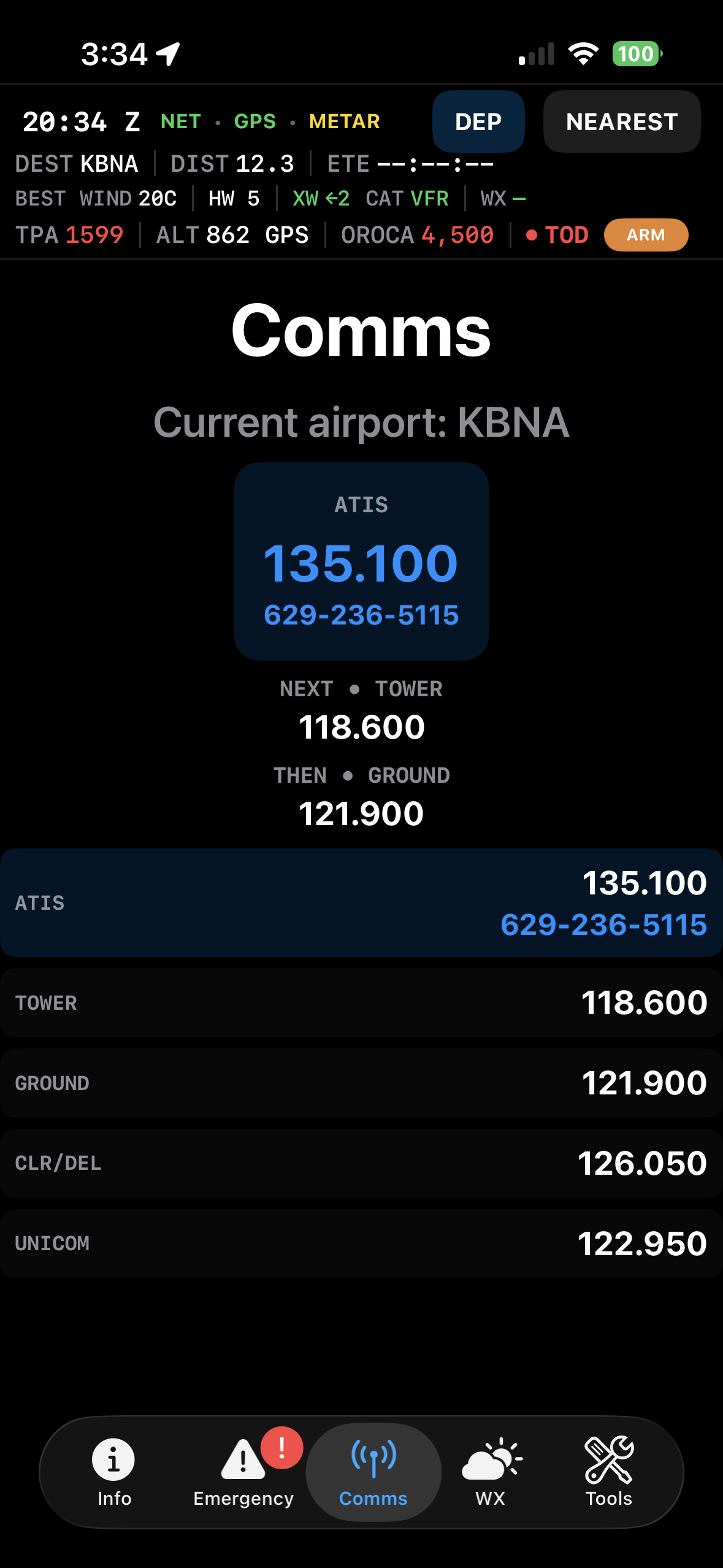
What are CURRENT and NEXT frequencies?
Flight Cue predicts the communication frequency most likely to be useful now and the one likely to be needed next. The goal is to reduce frequency hunting during high-workload phases of flight.
Does Flight Cue automatically change the suggested frequency during a flight?
Yes. Flight Cue uses the phase of flight, airport type, distance and available airport communication services to determine which frequency is most relevant.
Which airport frequencies does Flight Cue organize?
Depending on the airport, Flight Cue can organize ATIS, AWOS or ASOS, Clearance Delivery, Ground, Tower, Approach, Departure, Center, CTAF and UNICOM information.
Can Flight Cue help me remember radio calls?
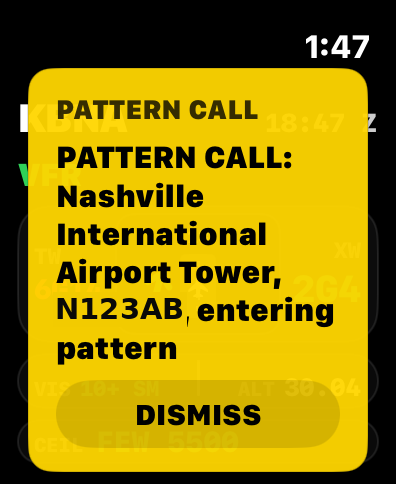
Yes. Flight Cue is designed to provide timely communication cues during departure, arrival and pattern operations so an expected call is less likely to be forgotten during a busy phase of flight.
Does Flight Cue show telephone or GCO information?
When available in the airport data, Flight Cue can surface useful communication information such as phone numbers and Ground Communication Outlet information.
Runways & Arrival
What is the Runway and Crosswind Visualization?
Flight Cue turns the reported wind and runway geometry into a visual picture instead of making the pilot mentally calculate the relationship between a wind direction and a runway number.
The runway depiction shows the runway in its actual orientation with the wind/crosswind relationship visually represented. Flight Cue also calculates the headwind or tailwind and crosswind components, making it much easier to see which side the crosswind is coming from and what the wind means for the runway you are considering.
This visualization was one of the original ideas behind Flight Cue: take a cockpit calculation that pilots repeatedly perform mentally and turn it into something immediately understandable at a glance.
* Internet connection required when using current online METAR/weather wind data.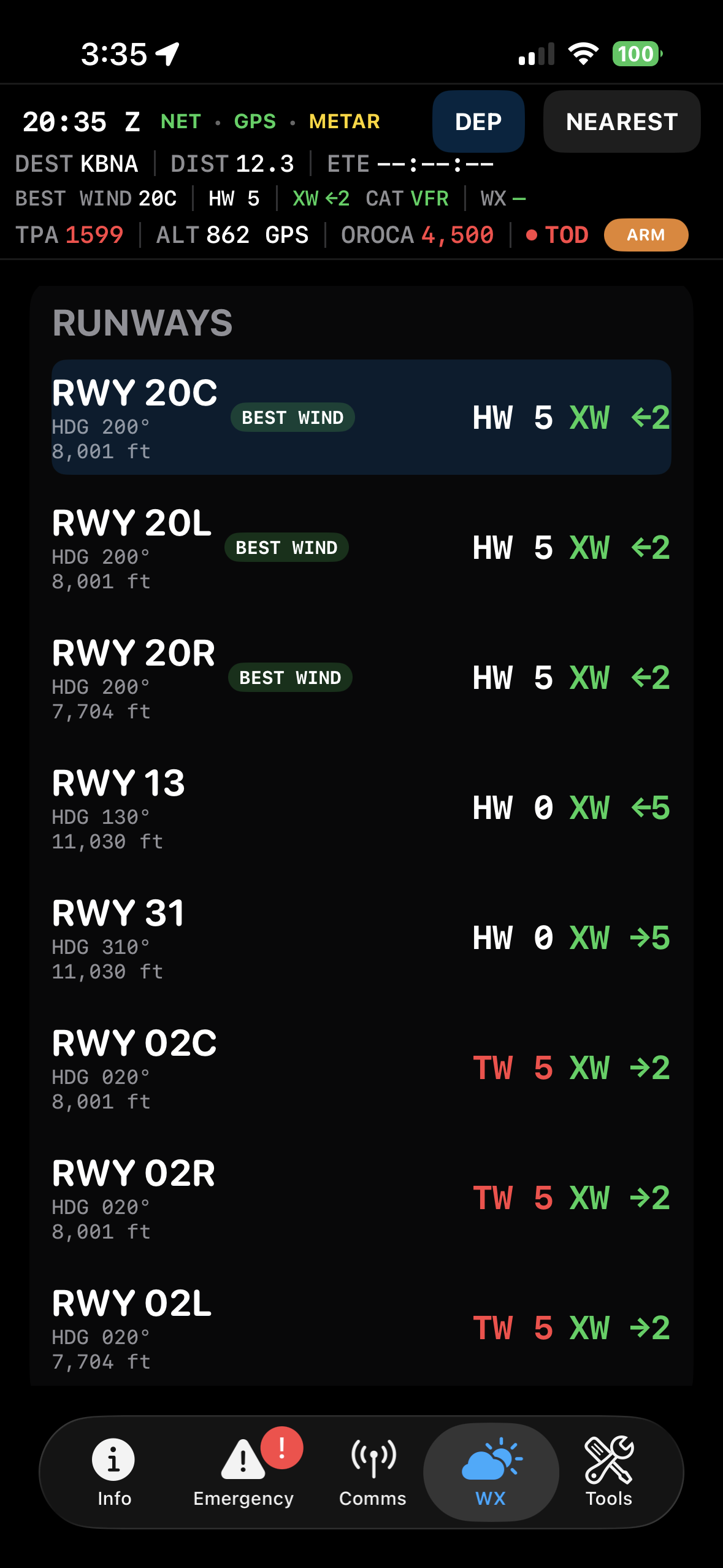
How does Flight Cue determine the Best Runway?
Flight Cue evaluates available runways against the current wind and runway information. A runway with a favorable headwind is preferred over a runway producing a tailwind, with runway length used where appropriate when conditions are otherwise equivalent.
* Internet connection required for current weather, METAR and online airport/NOTAM data.How does the crosswind visualization work?
Flight Cue turns wind direction and runway orientation into an immediate visual indication of crosswind direction and components. This reduces the mental calculation normally required to translate a reported wind into what it actually means for a particular runway.
* Internet connection required when using current online weather/METAR wind data.What happens when winds are calm?
When wind does not provide a meaningful directional advantage, Flight Cue avoids pretending that one runway is aerodynamically favored solely by wind and can use other useful runway information such as available length.
Does Flight Cue consider runway closures?
Flight Cue incorporates available runway NOTAM information and is designed to prevent a known closed runway from being treated as the preferred runway. Runway and NOTAM information should always be verified with authoritative sources.
* Internet connection required for current NOTAM data.Can Flight Cue help determine how to enter the traffic pattern?
Yes. Pattern guidance combines aircraft position, runway orientation and traffic direction to help the pilot visualize the appropriate arrival geometry. The pilot remains responsible for traffic avoidance and complying with published procedures and ATC instructions.
Weather
What weather information does Flight Cue provide?
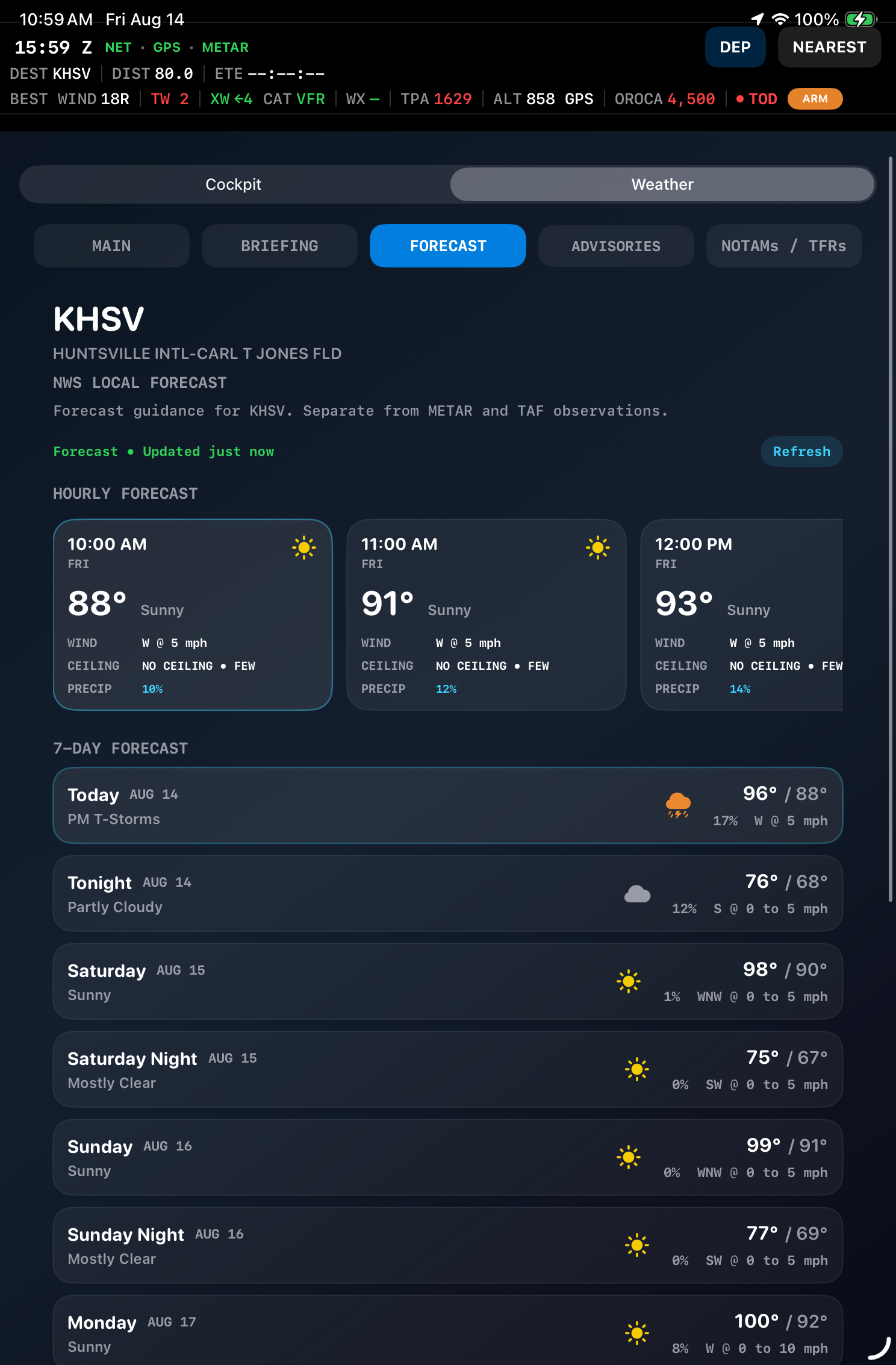
Flight Cue brings together useful aviation weather including METARs, TAFs, radar and relevant aviation advisories so pilots can see both current conditions and hazards affecting the flight. Weather information is organized around the airport and route so the pilot spends less time searching through unrelated data.
* Internet connection required for live weather information.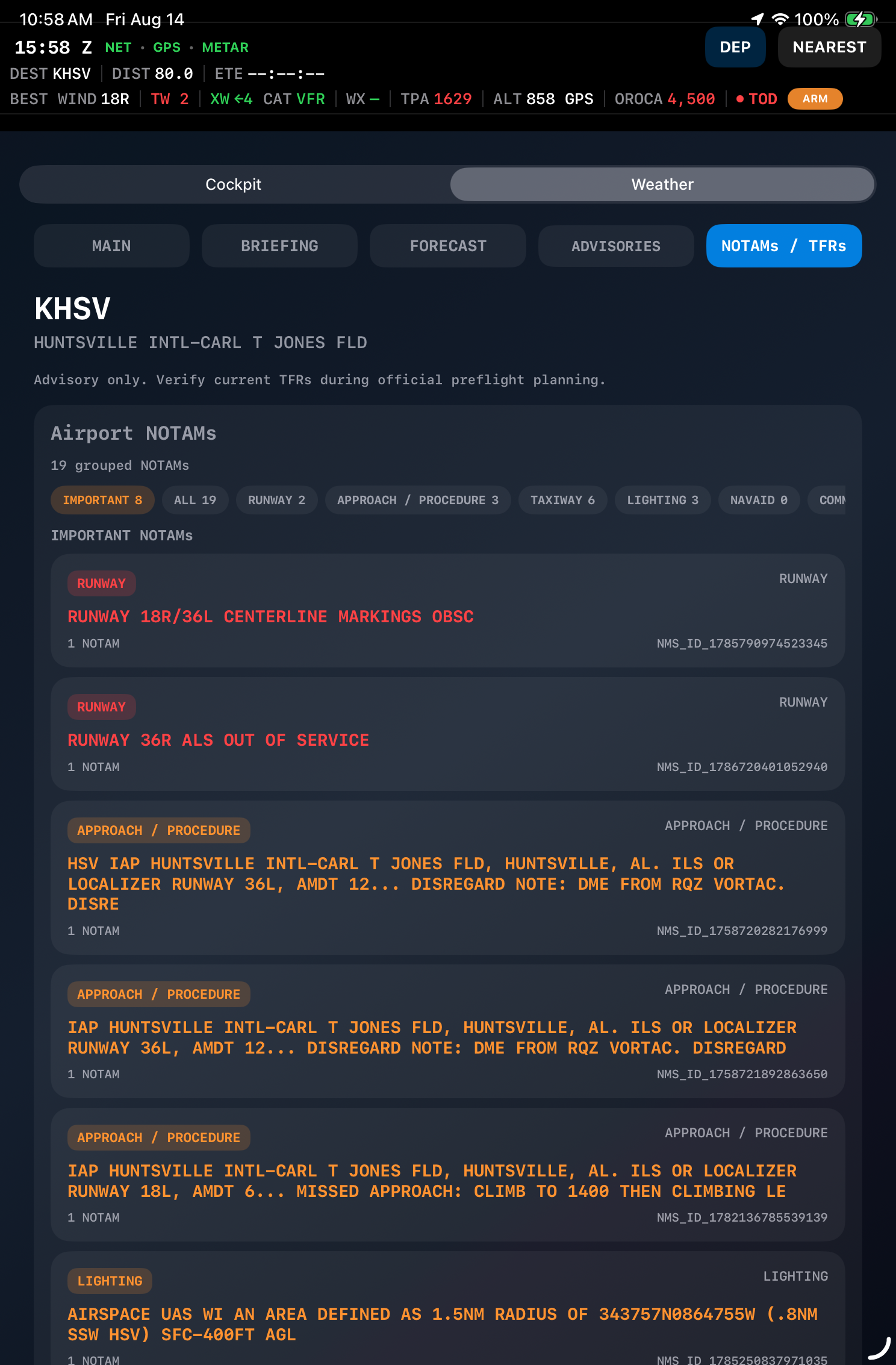
What is the Weather Briefing?
The Weather Briefing organizes METARs, forecasts, radar and aviation advisories around the planned route rather than presenting every nearby product with equal importance. It is intended to quickly answer what weather matters to this flight and where it lies relative to the route.
* Internet connection required for live weather and advisory information.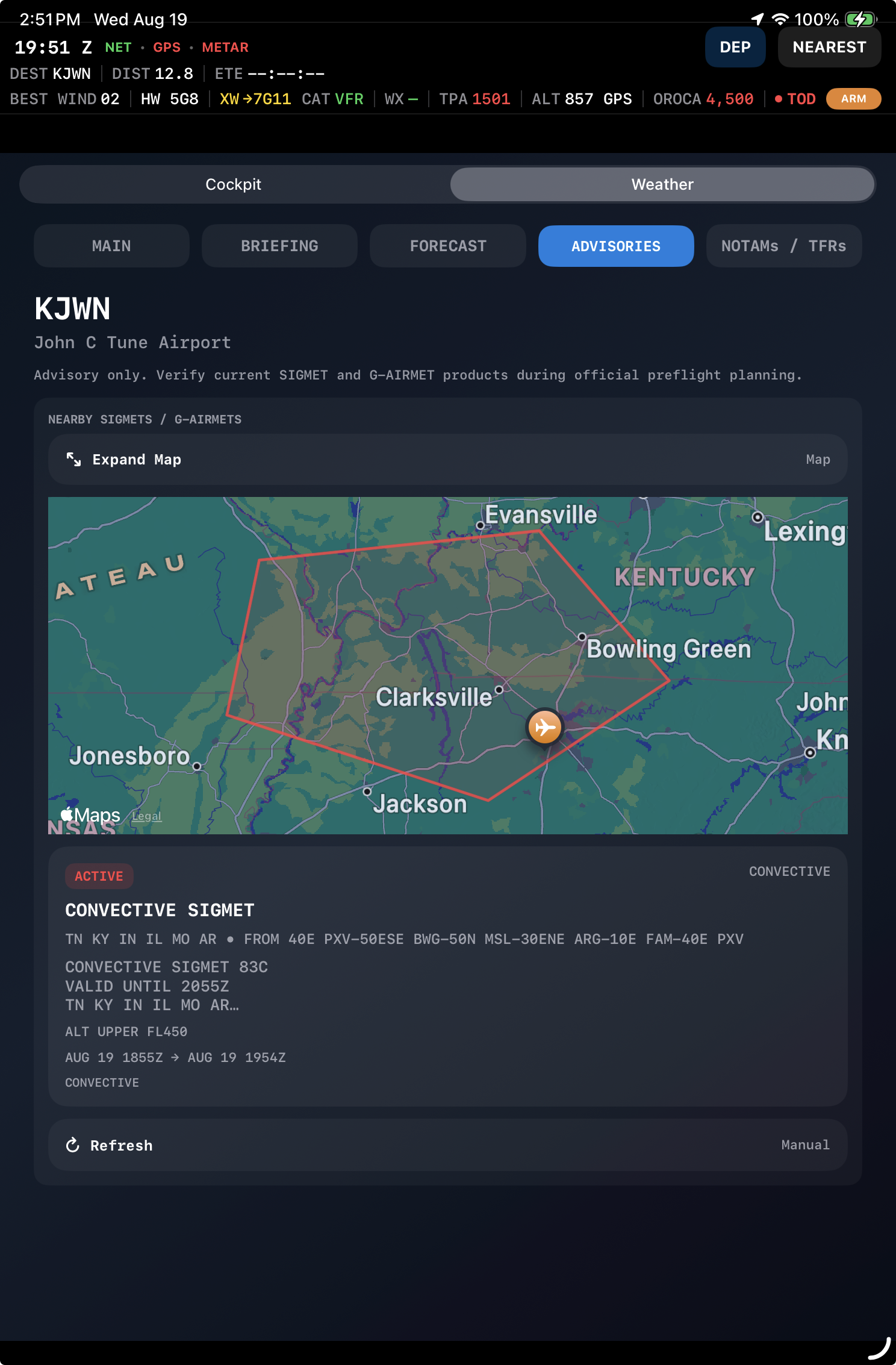
What is the Route Advisory Map?
The Route Advisory Map displays the planned route together with relevant aviation advisory areas, making it easier to understand where turbulence, icing, IFR conditions and other hazards lie relative to the flight. Advisory polygons can be selected for additional information.
* Internet connection required for current advisory information.Can I tap an AIRMET or G-AIRMET on the Weather Briefing map?
Yes. Advisory polygons on the Weather Briefing Route Advisory Map can be selected to view the underlying advisory information, allowing the graphical hazard area and its details to be understood together.
* Internet connection required for current advisory information.What do the advisory colors mean?
Flight Cue uses consistent hazard colors to make advisory types immediately recognizable: turbulence is yellow, icing is blue, IFR advisories are purple and TFRs are red.
Does Flight Cue show radar?
Yes. Flight Cue provides animated weather radar designed specifically for cockpit situational awareness. Radar can be viewed in geographic context with the aircraft, airport and relevant flight information so precipitation is easier to understand relative to where you are going.
The radar timeline allows you to look at recent radar frames and motion rather than relying on a single static image. Flight Cue's radar complements the HSI: the HSI answers navigation and orientation questions, while radar helps answer where precipitation is relative to the aircraft and route.
Radar imagery is delayed weather information and must never be used for tactical penetration or avoidance of thunderstorms.
* Internet connection required for radar.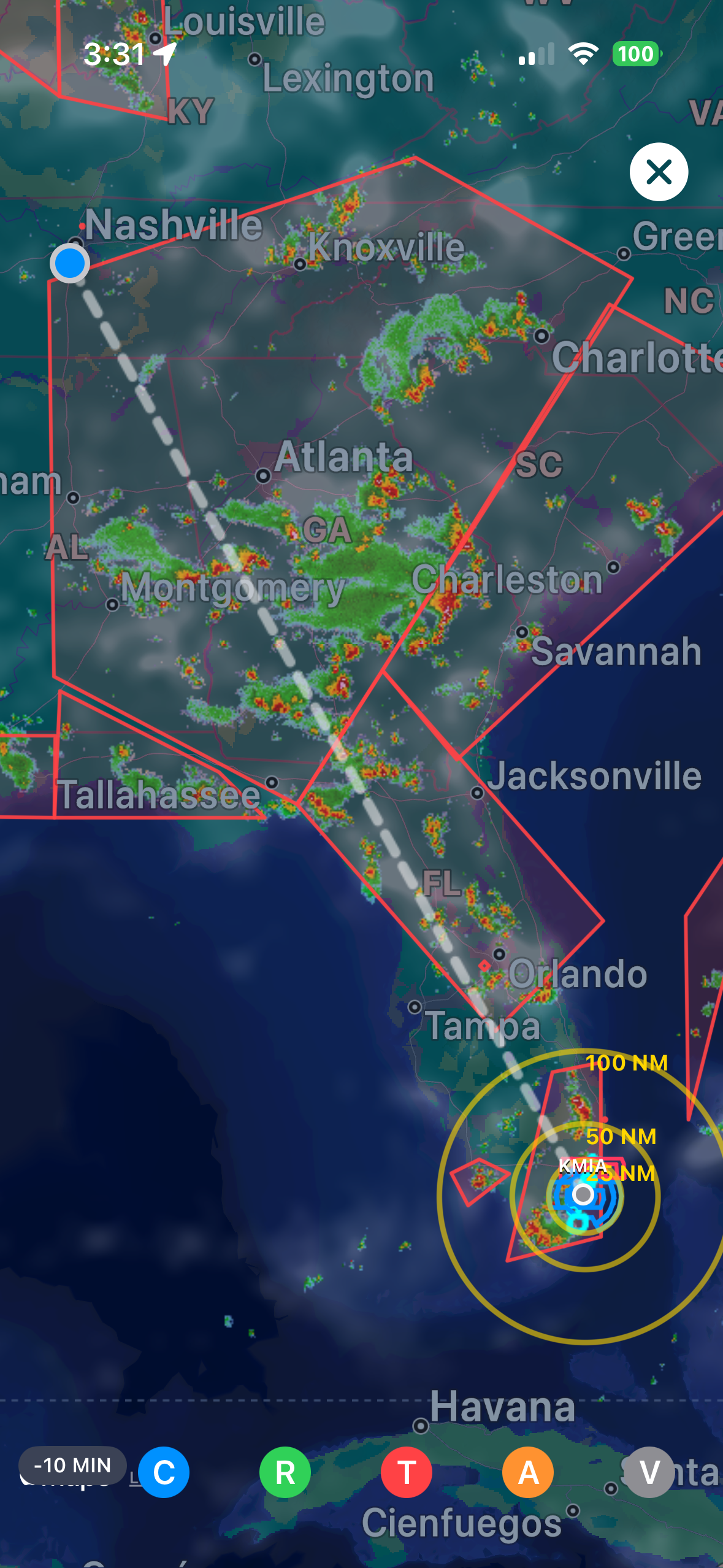
Does Flight Cue replace an official weather briefing?
No. Flight Cue provides supplemental situational awareness and planning assistance. Pilots should use appropriate official and authoritative weather sources and exercise normal preflight and in-flight weather decision-making.
* Internet connection required for Flight Cue's live weather products.Airspace & Alerts
What kinds of airspace cues can Flight Cue provide?
Flight Cue can evaluate the aircraft's horizontal and vertical relationship to nearby controlled airspace and provide context such as approaching, entering, operating beneath or exiting relevant airspace.
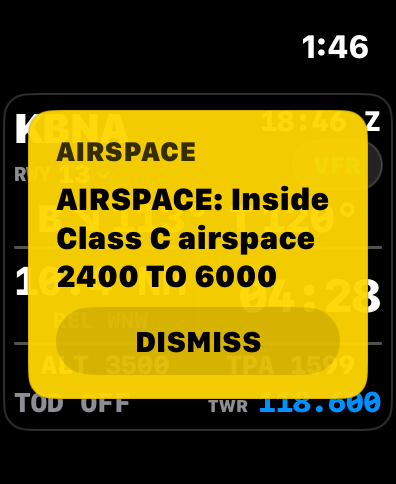
Does Flight Cue consider altitude when evaluating airspace?
Yes. Where vertical limits are available, Flight Cue evaluates altitude as well as lateral position so an aircraft above or below an airspace segment can be treated differently from one actually entering it.
Why are Flight Cue alerts designed to occur before I need the information?
The purpose of a cue is to reduce workload before the cockpit becomes busy. Flight Cue therefore attempts to surface relevant information early enough to understand and act on it rather than simply reporting an event after it occurs.
Can I rely on Flight Cue for airspace avoidance?
No. Flight Cue is an advisory aid. Current charts, ATC clearances, aircraft navigation equipment and the pilot's own situational awareness remain authoritative.
Charts & Airport Information
Does Flight Cue include aviation charts?
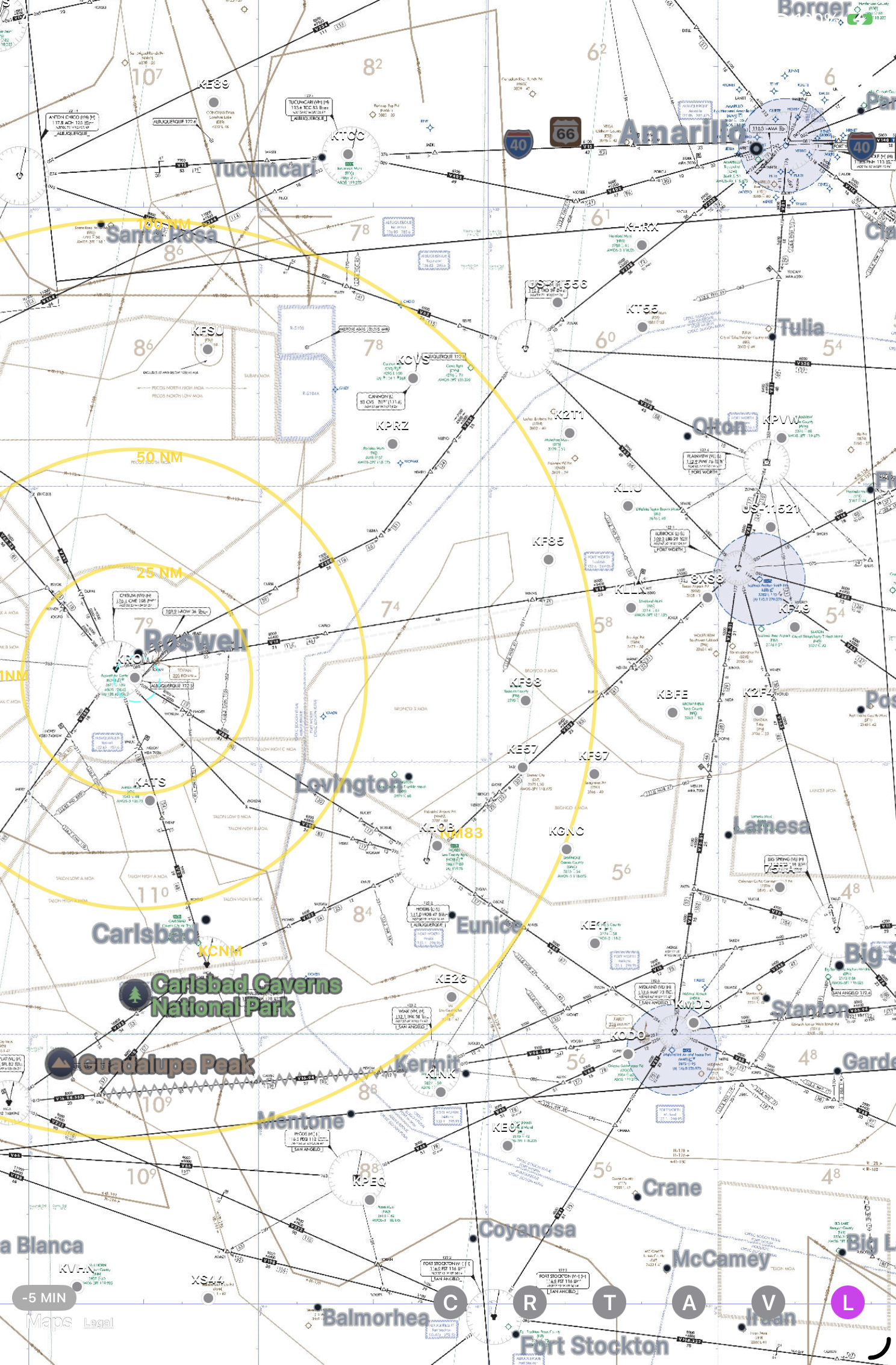
Flight Cue can provide access to VFR sectional and IFR chart information as part of its flight and airport tools. Charts provide geographic context while Flight Cue's other displays focus on automatically surfacing information relevant to the current phase of flight.
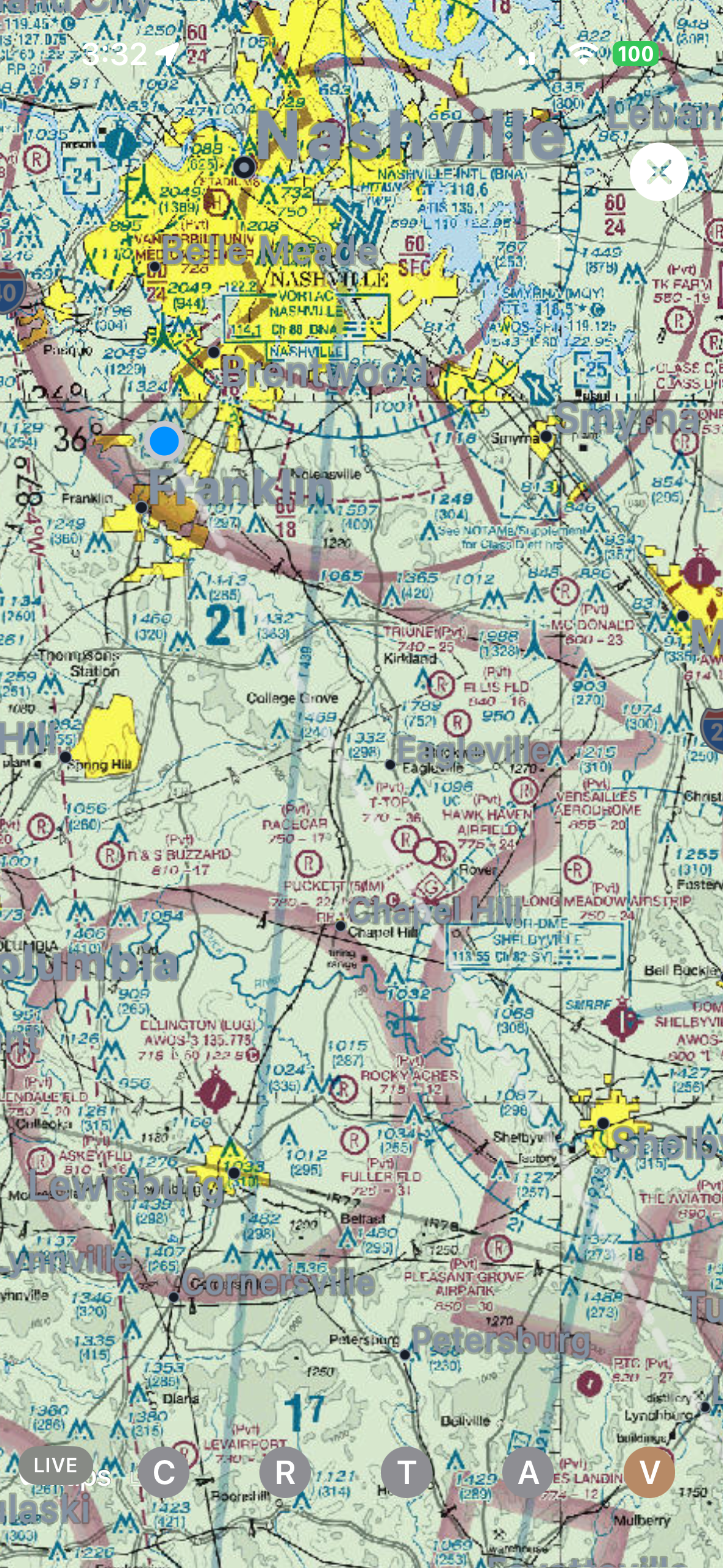
Does Flight Cue provide airport diagrams and procedures?
Flight Cue can surface FAA airport diagrams and procedure information including approaches, departures, SIDs, STARs and applicable takeoff-minimum or ODP information when available.
* Internet access may be required to obtain or update chart and procedure data.What is an ODP indication?
If published obstacle departure information is available for an airport, Flight Cue can call attention to it so the pilot knows there is departure information worth reviewing before takeoff.
How are chart cycles handled?
Flight Cue tracks the applicable FAA chart-data cycle so pilots can identify the source and currency of chart information presented by the app.
Flight Planning & Tools
Does Flight Cue calculate ETE and ETA?
Yes. Flight Cue can use route distance and aircraft performance information to estimate enroute time and arrival time, including appropriate local-time presentation.
Does Flight Cue help with descent planning?
Yes. Flight Cue includes descent-planning tools designed to answer the practical cockpit question of when to begin descending toward the destination.
What are aircraft profiles used for?
Aircraft profiles allow Flight Cue to use information appropriate to the aircraft being flown, including useful performance and operational values used by planning and alert features.
Can I create my own checklists?
Yes. Flight Cue supports checklist functionality so aircraft-specific or pilot-specific procedures can be kept readily available in the cockpit.
Does Flight Cue have emergency tools?
Flight Cue includes tools intended to quickly surface useful information during abnormal or emergency situations, reducing the amount of searching required when workload is already high.
Can Flight Cue help me find a nearby airport?
Yes. Nearby-airport tools are designed to make it fast to identify and load an alternate airport when plans change.
iPhone, iPad & Apple Watch
Which device runs Flight Cue?
An iPhone can operate as the primary Flight Cue flight device. A cellular/GPS-equipped iPad can also be used as the primary flight device because it has its own GPS capability.
A Wi-Fi-only iPad does not have the same independent GPS capability and is best used as a companion display. When live internet data such as METARs, radar, advisories or NOTAMs is needed, the device must also have an internet connection.
What is Companion Mode?
Companion Mode allows another Flight Cue device to follow the active flight information from the primary Flight Cue device rather than requiring the pilot to independently configure and manage the flight on every display.
The iPhone is a common primary device, while an appropriately equipped iPad can also operate as the primary flight device.
What does Flight Cue show on Apple Watch?
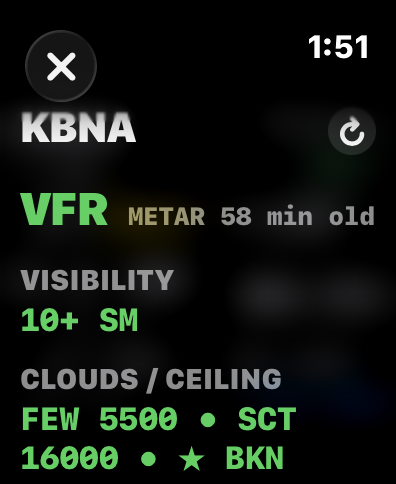
The Apple Watch is a quick-glance companion for useful information such as navigation, communications, weather and important flight cues without requiring the pilot to pick up the primary device.
The Watch is intended as a companion display rather than an independent source of flight navigation data.
Why use an iPad if I already have Flight Cue on my iPhone?
The larger display can make maps, HSI information, charts and flight information easier to monitor while another Flight Cue device acts as the primary source. An appropriately equipped cellular/GPS iPad can also be used independently as the primary flight device.
Data, Limitations & Safety
Where does Flight Cue get aviation information?
Flight Cue uses aviation and weather data from established sources, including FAA-derived information and aviation weather products, then organizes that information for the Flight Cue cockpit experience.
* Internet connection required for live and newly updated online data.Is Flight Cue certified navigation equipment?
No. Flight Cue is an advisory application and is not a substitute for certified aircraft instrumentation, approved navigation equipment, ATC instructions, current charts or pilot judgment.
Can GPS, pressure or internet data ever be inaccurate or unavailable?
Yes. Mobile-device sensors, GPS reception, network connectivity and external data sources all have limitations. Flight Cue is designed with those realities in mind, but pilots should always cross-check important information against authoritative cockpit sources.
A feature that depends on live weather, NOTAM, advisory, radar or other online information cannot receive new data while the device has no internet connection.
Why does Flight Cue emphasize visual cues instead of simply displaying more data?
The objective is workload reduction. Pilots already have access to enormous amounts of information. Flight Cue focuses on helping answer practical questions such as where the airport is, which runway best matches the wind, what frequency is likely next and what important condition deserves attention now.
Troubleshooting
Why might weather or advisory information be missing?
First verify that the device has an internet connection and that the data source has had time to refresh. Some aviation products may also simply be unavailable for a particular airport or area.
If using a Wi-Fi-only iPad in flight, connect it to an available internet source such as your iPhone Personal Hotspot if you want the iPad to receive current METARs, radar, advisories, NOTAMs and other online information.
Why isn't my location updating?
Verify that Location Services are enabled for Flight Cue and that the device has a usable GPS/location solution. Reception can be reduced indoors or when the device has a poor view of the sky.
What should I do if a Companion device appears stale?
Verify that the primary Flight Cue device and companion device are connected and that Flight Cue is active on both devices.
If iPhone-to-iPad synchronization becomes stale or the connection appears unreliable, toggling Wi-Fi off and back on at the iPad can help force the connection to reestablish. If the iPhone is also providing internet access to a Wi-Fi-only iPad, verify that the iPad is connected to the iPhone Personal Hotspot.
The primary flight device remains the authoritative source during Companion Mode.
Will my custom information survive reinstalling Flight Cue?
Important user-created information such as custom aircraft profiles and checklists is designed to use durable persistence so meaningful customization can be restored rather than depending solely on the application's temporary local container.
What should I do if Flight Cue disagrees with my aircraft avionics?
Use the aircraft's approved equipment and authoritative information. Flight Cue is supplemental. A significant discrepancy should be treated as something to investigate rather than something the pilot should resolve by trusting the app over certified equipment.