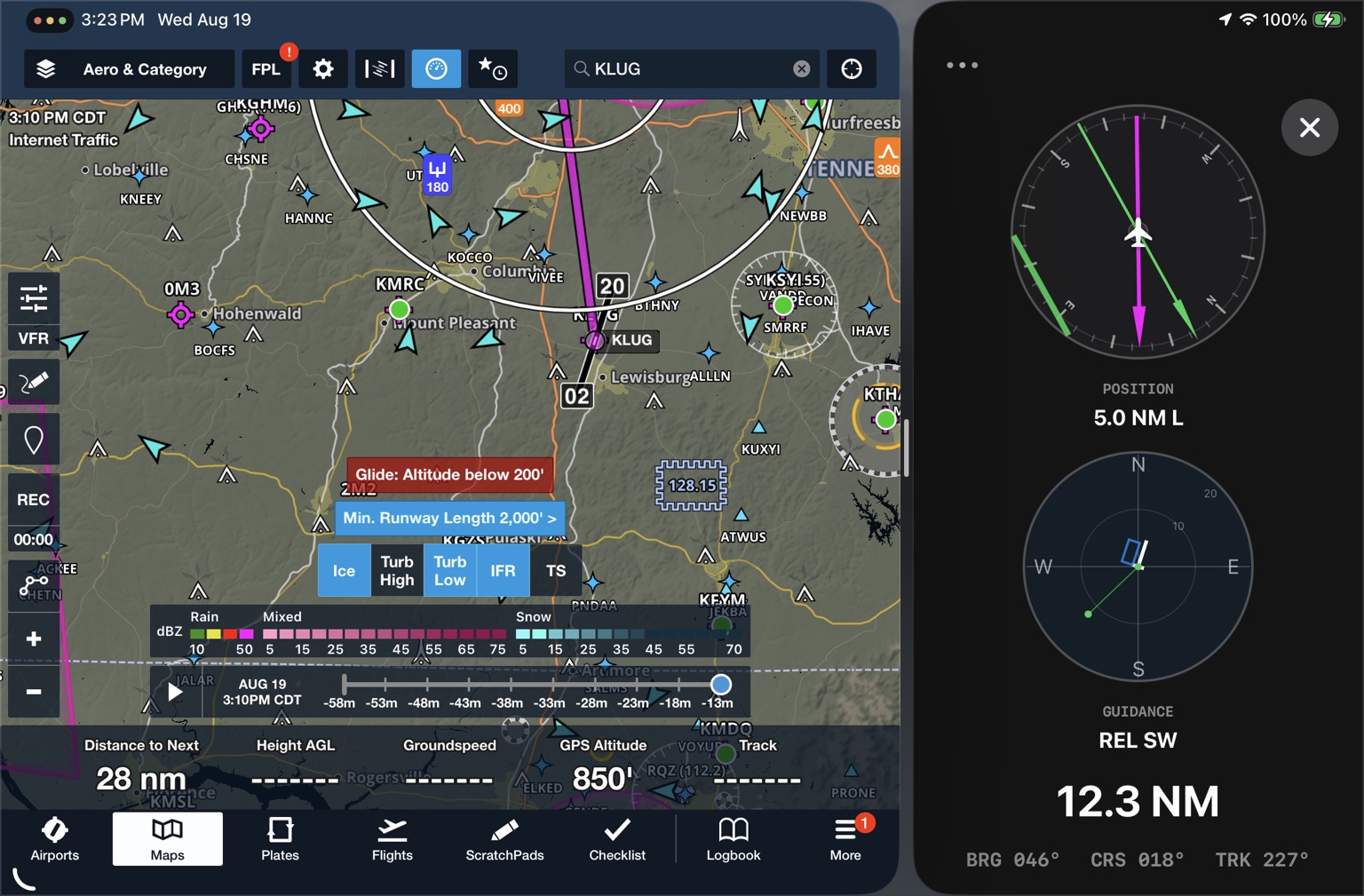
How Flight Cue works

Understand the cue — not just the data.

Flight Cue shows you what matters now, what it means, and what comes next.

Runway guidance

HSI + cross-track guidance

The Flight Cue HSI is built around your relationship to the selected runway. Its aircraft-up presentation makes runway geometry intuitive and lets you quickly see how your actual track relates to the extended runway centerline.
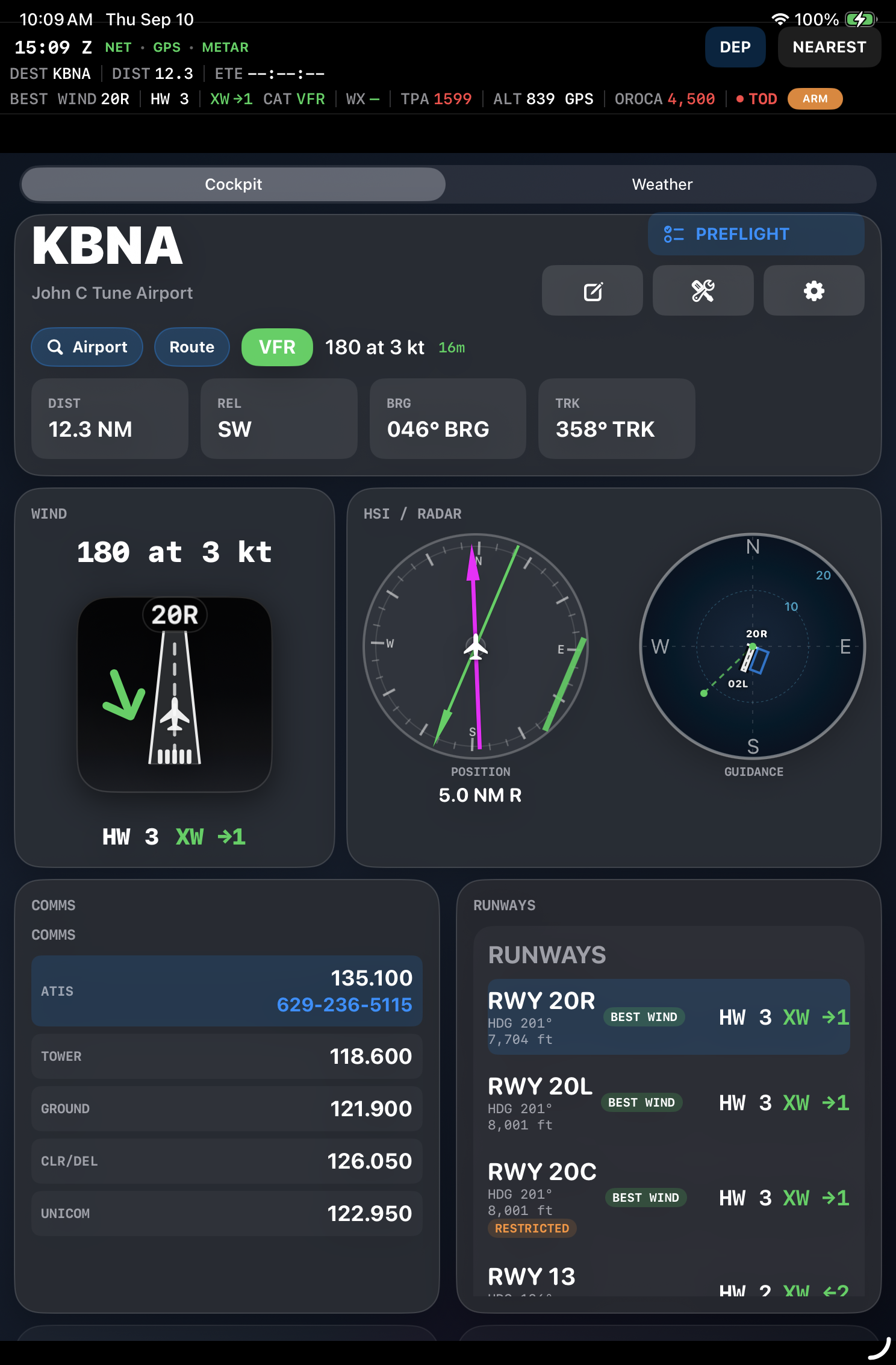
TRKYour current ground track — where the airplane is actually traveling.
Runway courseThe selected runway's magnetic course is displayed in the expanded HSI/CDI presentation.
CDI / cross-trackThe lateral indication shows which side of the extended runway centerline you are on and how far you are displaced.
Flight Cue HSI cross-track guidance
Spatial awareness

The runway-centered radar view

This is not a conventional moving map. Flight Cue makes the runway the reference, showing your position, track, distance rings and pattern geometry relative to the airport.
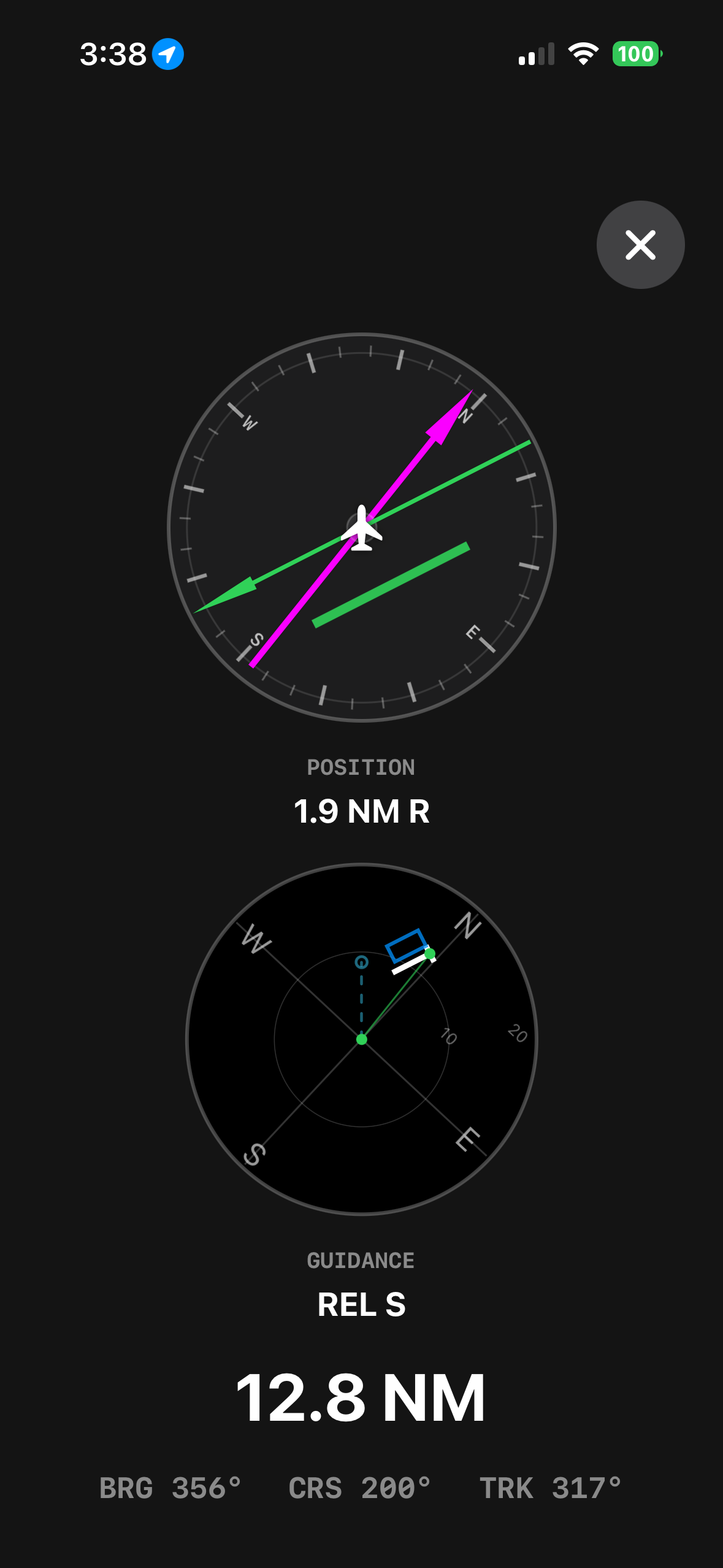
What it answers: Where am I relative to the runway?
Flight Cue runway radar
Arrival timing

Top of Descent

Flight Cue continuously calculates a top-of-descent point designed to bring you to pattern altitude approximately three miles before the destination.
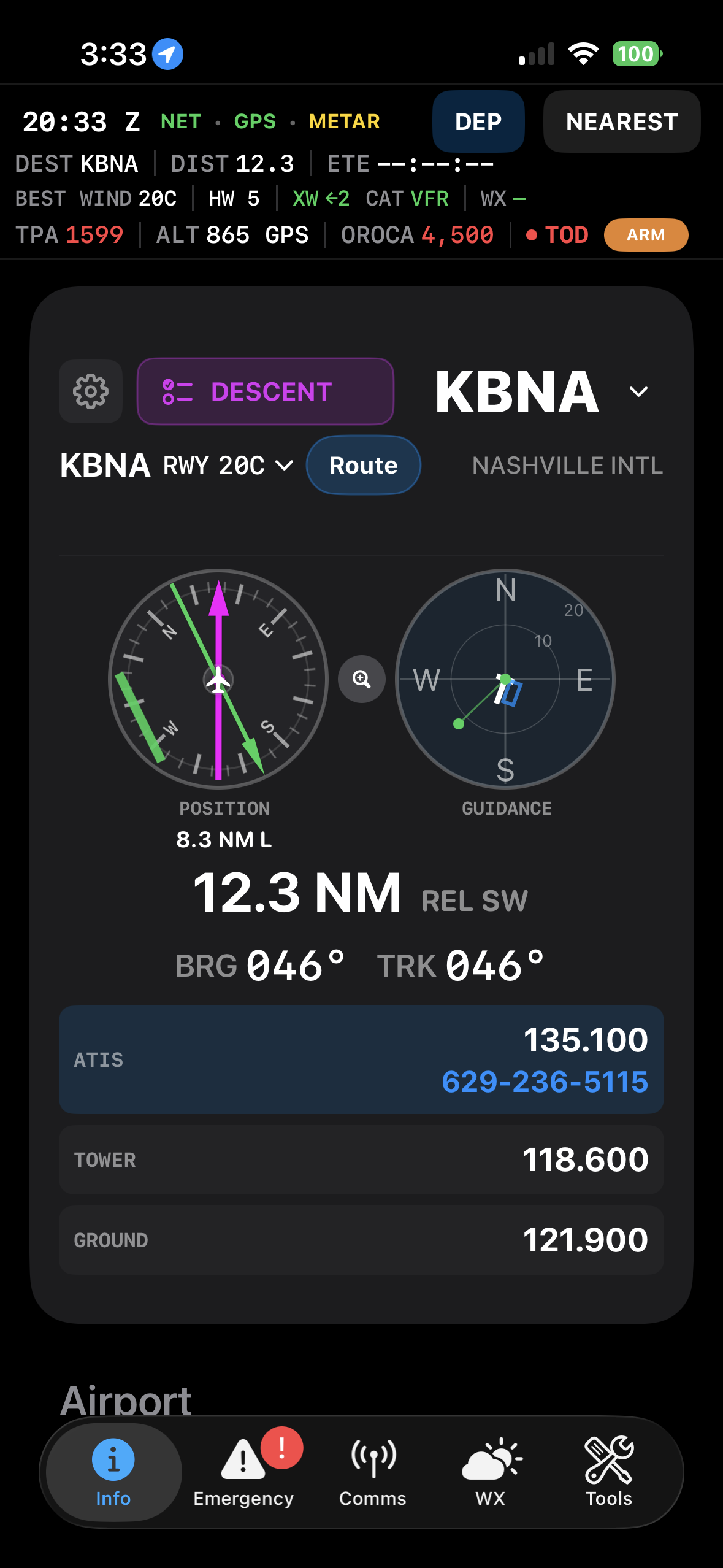
Comfort modePlans around an approximately 500-foot-per-minute descent.
3:1 modeUses a traditional three-to-one descent profile.
Your choiceSelect either method in Flight Cue options. TOD continues updating as altitude and distance change.
TOD is designed as a workload-management cue, not an autopilot command. ATC instructions, procedures and pilot judgment always control.
Flight Cue top of descent
Wind translated into a decision

Runway + wind analysis

Flight Cue compares current wind with available runways and calculates runway-specific headwind and crosswind components so you don't have to do the mental math yourself.
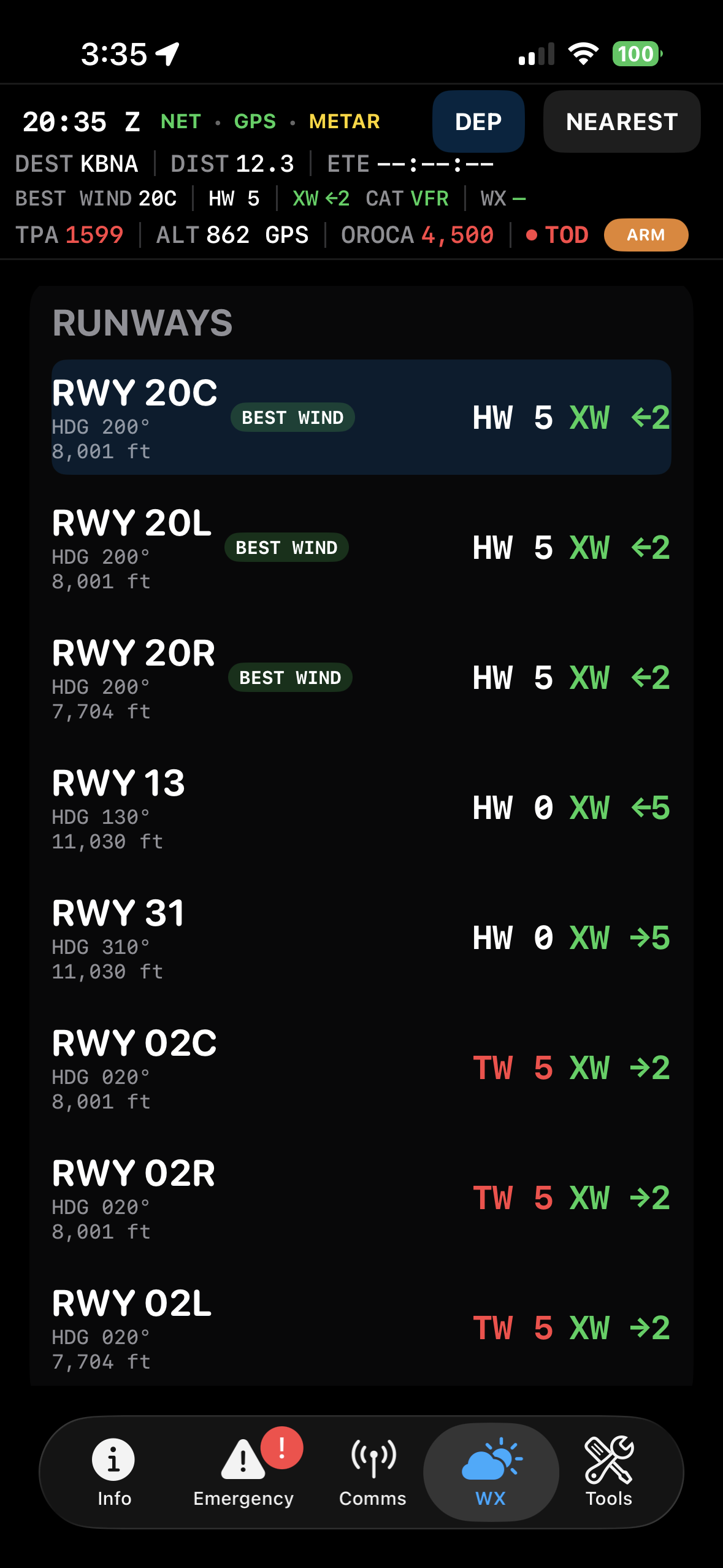
When conditions do not justify one clear runway — including calm winds or equal choices — Flight Cue does not pretend there is a single answer.
Flight Cue runway wind analysis
Communications

Current + next frequency guidance

Airport frequency lists are static. Flying is not. Flight Cue brings forward the frequency most relevant now and anticipates the one you are likely to need next.
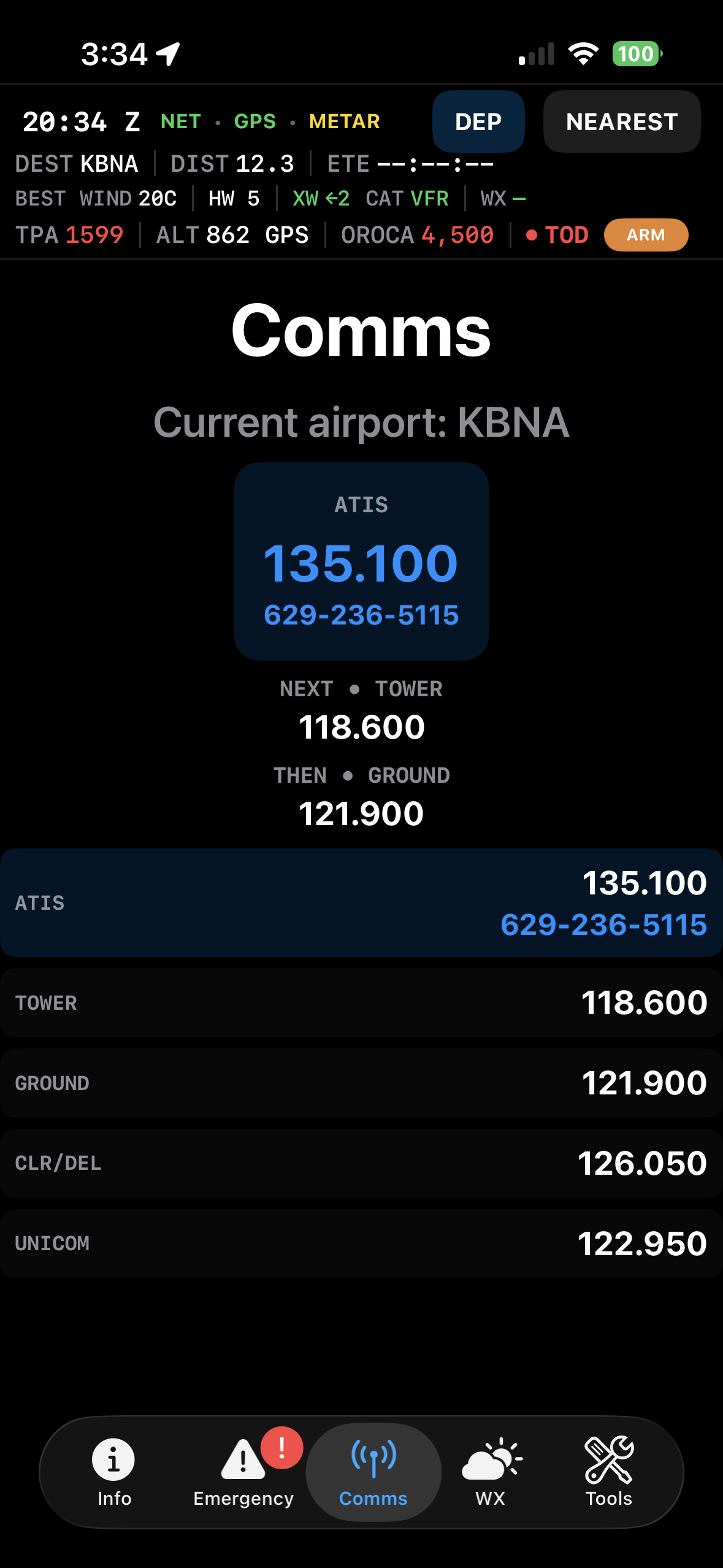
CURRENTThe radio frequency most relevant to your current phase of flight.
NEXTThe likely next handoff or radio task.
Arrival remindersDistance-based cues help remind you when weather checks and radio calls are becoming relevant.
Flight Cue communications
Supplemental awareness

Traffic awareness

When live traffic data is available, Flight Cue helps draw your attention to nearby aircraft that deserve a look and provides a fast picture of surrounding traffic.
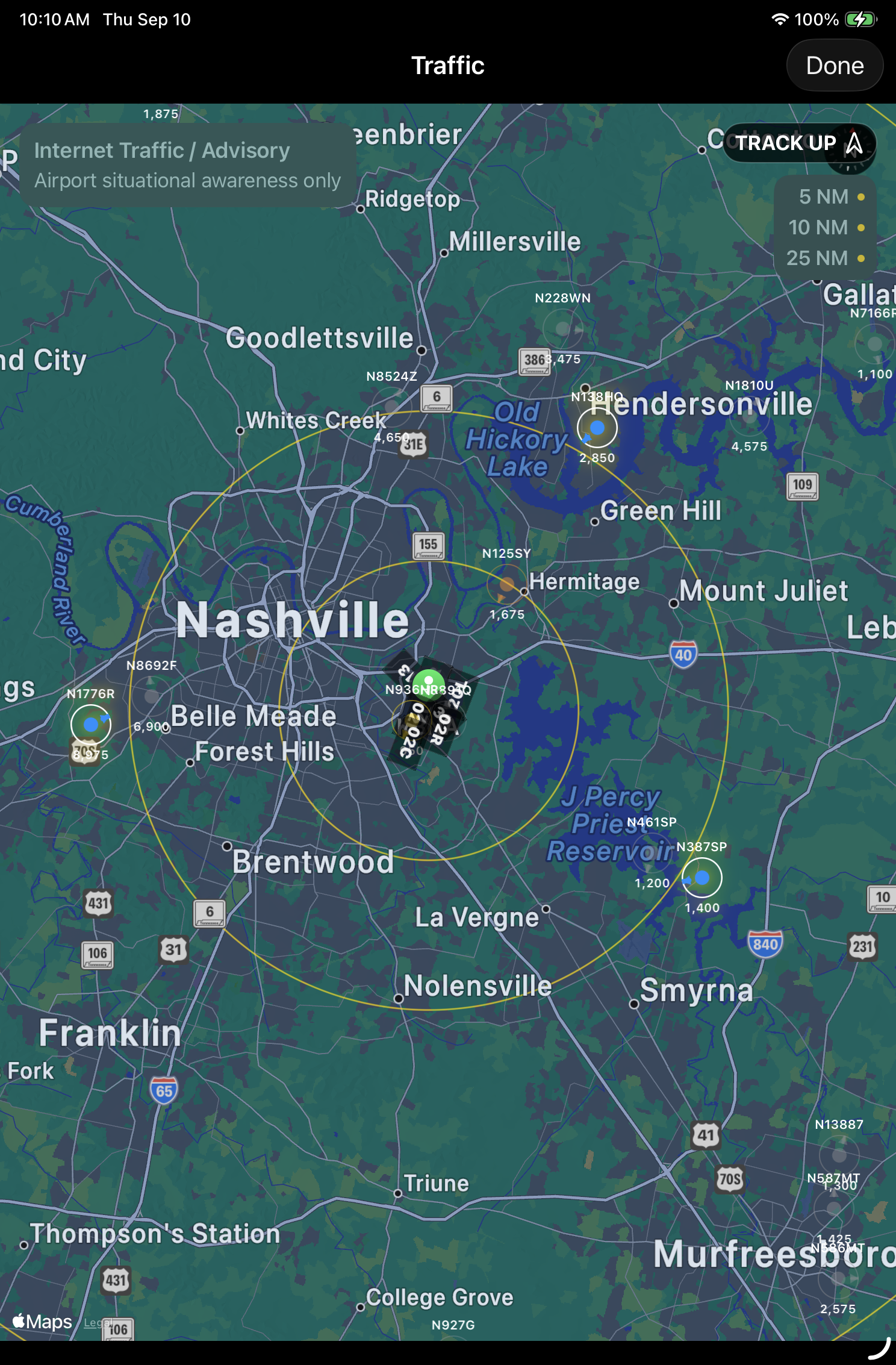
Live traffic requires an active in-flight internet connection and supplements — never replaces — ADS-B displays, panel traffic systems, ATC advisories and visual scanning.
Flight Cue traffic awareness
Airspace awareness

Know when airspace becomes relevant

Flight Cue watches your relationship to nearby controlled airspace and brings it forward when it becomes operationally important. It is a powerful tool for helping prevent common airspace deviations.
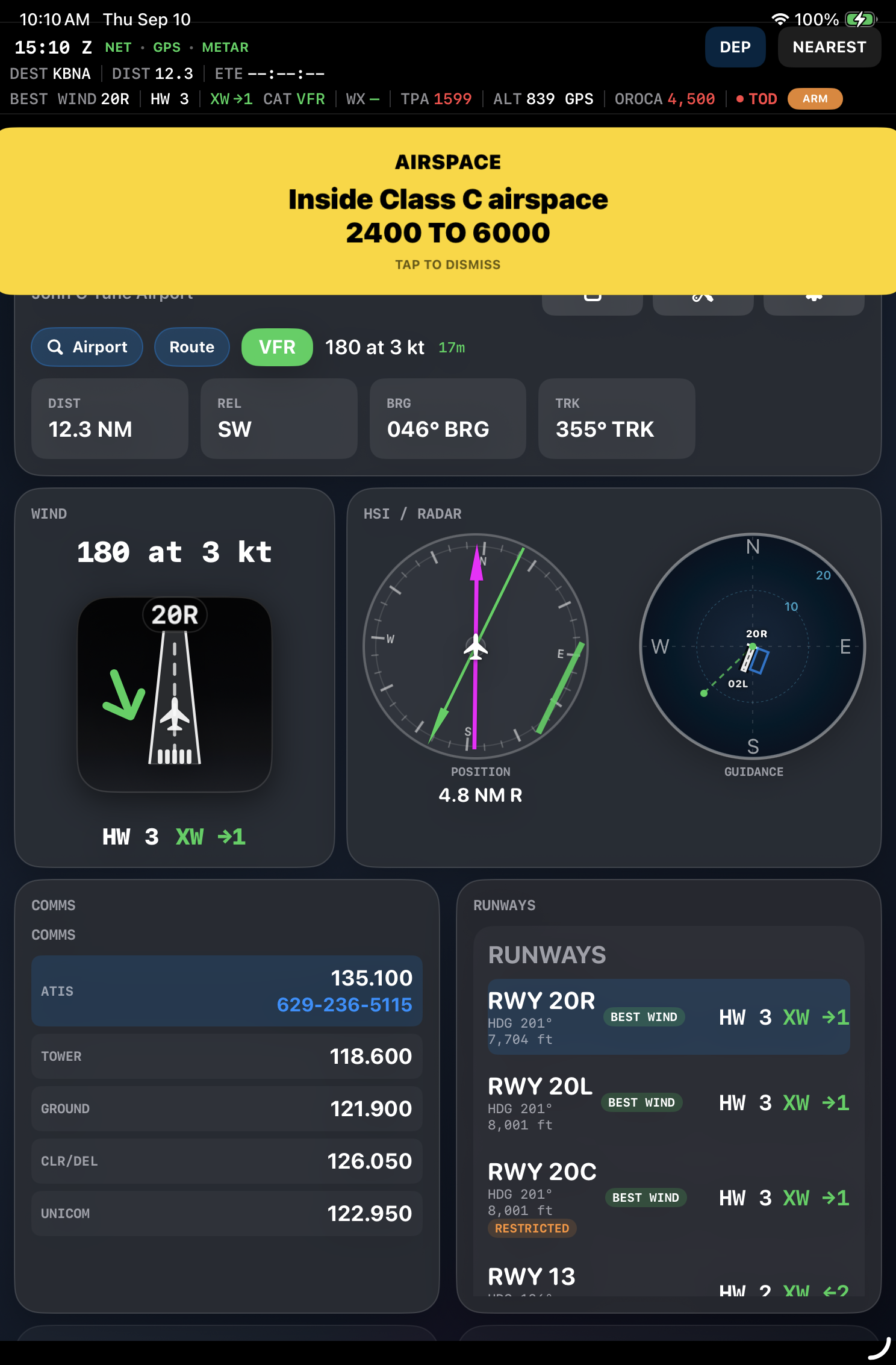
ApproachingAwareness before you reach a nearby boundary.
Inside / below / aboveFlight Cue considers both your horizontal location and your vertical relationship to an airspace shelf.
Exit awarenessThe system recognizes when you leave the airspace.
Use the alert as a cue to verify the airspace, altitude and required clearance. Flight Cue provides supplemental awareness, not authorization to enter airspace.
Flight Cue airspace alert
Altitude awareness

Altitude + decision reminders

Flight Cue uses device altitude data and available weather pressure information to provide useful supplemental altitude awareness and configurable reminders around altitudes that matter to you.

The goal is a reminder, not another instrument to chase. Certified aircraft instruments remain primary.
One cockpit system

iPhone, iPad + Apple Watch

iPhoneThe full Flight Cue experience and primary computer for many installations.
iPadA larger cockpit presentation that can run standalone in GPS mode on a GPS/cellular-equipped iPad, or operate in Companion Mode while the iPhone does the computing.
Apple WatchA glanceable companion for selected flight, communications, weather and alert cues.
Flight Cue on iPad

The Flight Cue philosophy

Here's what matters. Here's what it means. Here's what comes next.